Where i help you level up your web design game. Today, i am diving into a crucial topic: What is the best font for your website? Fonts are more than just letters; they set the tone, readability, and overall user experience of your site. Let’s explore!
Video Tutorial
Why Fonts Matter
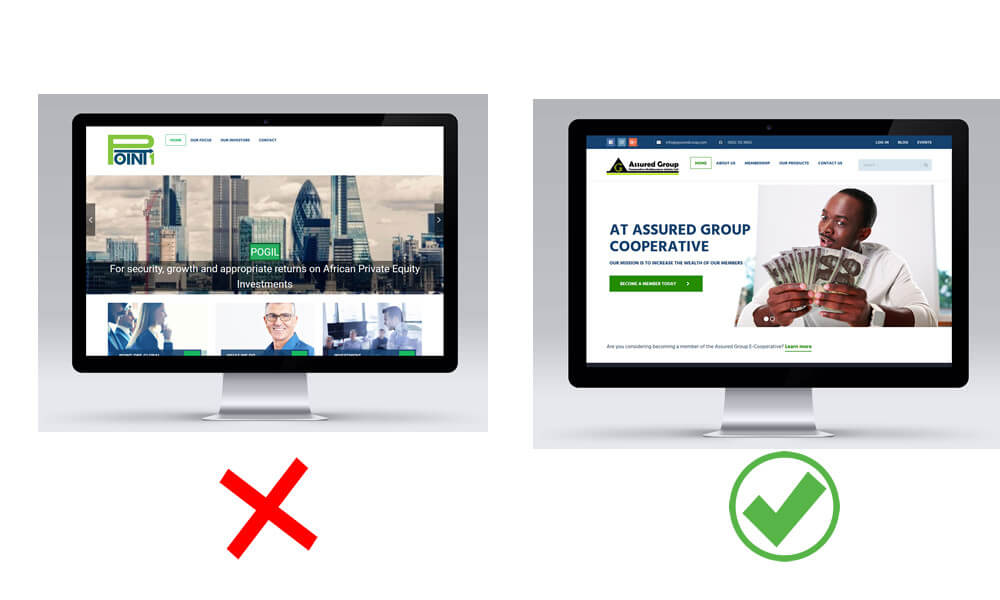
First things first, why does font choice even matter? Fonts impact your site’s readability, mood, and professionalism. A great font can keep users engaged, while a poor font might have them hitting the back button faster than you can say ‘Goodbye.’
Here’s a list of common examples of bad typography, along with explanations of why they don’t work:
- Poor Font Pairing
Combining two fonts that clash, such as a highly decorative font with a heavy, bold serif.
Result: Creates visual tension and confusion rather than harmony and readability. - Overuse of Decorative Fonts.
Using ornate or decorative fonts like Curlz or Papyrus in large blocks of text.
Result: Strains readability and makes the design look unprofessional. - Improper Line Spacing (Leading)
Too much or too little space between lines of text.
Result: Crowded text can feel overwhelming, while excessive spacing breaks the flow. - Inconsistent Alignment
Mixing left, right, and center-aligned text in the same design.
Result: Causes a lack of coherence and makes the layout look disorganized. - Excessive Use of All Caps
Writing large blocks of text in all capital letters.
Result: Harder to read because the eye cannot easily distinguish word shapes. - Low Contrast
Using a light font color on a similarly light background, or dark on dark.
Result: Reduces readability and forces the audience to strain their eyes. - Incorrect Kerning and Tracking
Poor spacing between letters (kerning) or inconsistent overall spacing (tracking).
Result: Makes words look awkward and can lead to misinterpretation of text. - Using Too Many Fonts
Including more than three different fonts in a single design.
Result: Creates visual chaos and detracts from the message. - Ignoring Hierarchy
Failing to distinguish headings from body text or emphasize key elements.
Result: Readers struggle to navigate the content and identify the most important information. - Outdated or Overused Fonts
Fonts like Comic Sans, Arial, or Times New Roman used inappropriately.
Result: Conveys a lack of creativity or professionalis
Popular and Most-Used Fonts for Websites
“Now, let’s talk about some of the most popular and widely used fonts for websites. These are tried and true, so you can’t go wrong!”
Sans-Serif Fonts:
Arial: A classic, clean choice perfect for professional websites.
Roboto: Modern, easy to read, and widely used, especially on mobile.
Open Sans: Highly versatile and user-friendly.
Serif Fonts:
Times New Roman: Traditional and authoritative.
Georgia: A great serif font optimized for web readability.
Display Fonts (Use Sparingly!):
Lobster: Fun and creative for headlines, but don’t overdo it!
Oswald: Sleek and modern, great for branding.
Each of these fonts has its strengths, but the key is choosing one that matches your brand’s tone. For instance, Roboto is great for tech sites, while Georgia works beautifully for blogs.
Related: Design Like a Pro How to Choose Colors for Your Website
Font Sizes for H Tags and P Tags

Choosing the right font is just half the battle. You also need to use the correct sizes for your headings and body text. Here’s a quick cheat sheet for you!
Heading Tags (H1 – H6):
H1: 32px to 40px – Perfect for your main title.
H2: 24px to 32px – Subheadings.
H3: 20px to 28px – Use for sections.
H4 to H6: 16px to 24px – For smaller headings.
Paragraph Text (P Tags):
14px to 18px – This range ensures readability on both desktop and mobile.
These sizes ensure a visual hierarchy on your site, making it easier for users to navigate. Remember, consistency is key!
Best Practices for Choosing Fonts
Your font choices play a crucial role in how your content is perceived, so it’s worth taking the time to make informed decisions that enhance your overall design and communication goals.
To ensure your typography serves its purpose, it’s essential to follow best practices for font selection, pairing, and usage. The following typography design tips will help you navigate these choices.
6 best practices for choosing fonts.
- Consider the purpose of the text.
- Understand your audience.
- Prioritize readability.
- Limit your font usage.
- Pair fonts.
- Maintain brand consistency.
Related: What Is the Best Website Banner Size and Their Uses
Pro Tips for Font Selection
Before we wrap up, here are some quick pro tips to help you nail your font selection.
Pair Fonts Wisely: Use one font for headings and another for body text, but don’t mix more than two or three fonts.
Test Readability: Always preview your font choices on different devices.
Web Safe Fonts: Stick to web-safe fonts like Arial, Verdana, or Google Fonts to ensure consistency across browsers.
So, there you have it—a guide to finding the best font for your website! Remember, your font choice can make or break your site’s first impression. Thank you for reading! I hope this article was helpful. If you have any questions or suggestions, feel free to share them in the comments.